eget: install GitHub releases without waiting for a central index
The pace of command-line tooling has changed. New tools show up on GitHub every day, and active projects may publish several releases in a week, sometimes in a day.
The slow part is often not the project itself. It is the central package index in the middle: a formula, bucket, manifest, or package definition that has not caught up yet. eget is for that gap. If the release asset already exists, or the download URL can be described by a simple rule, eget can fetch and install it directly.
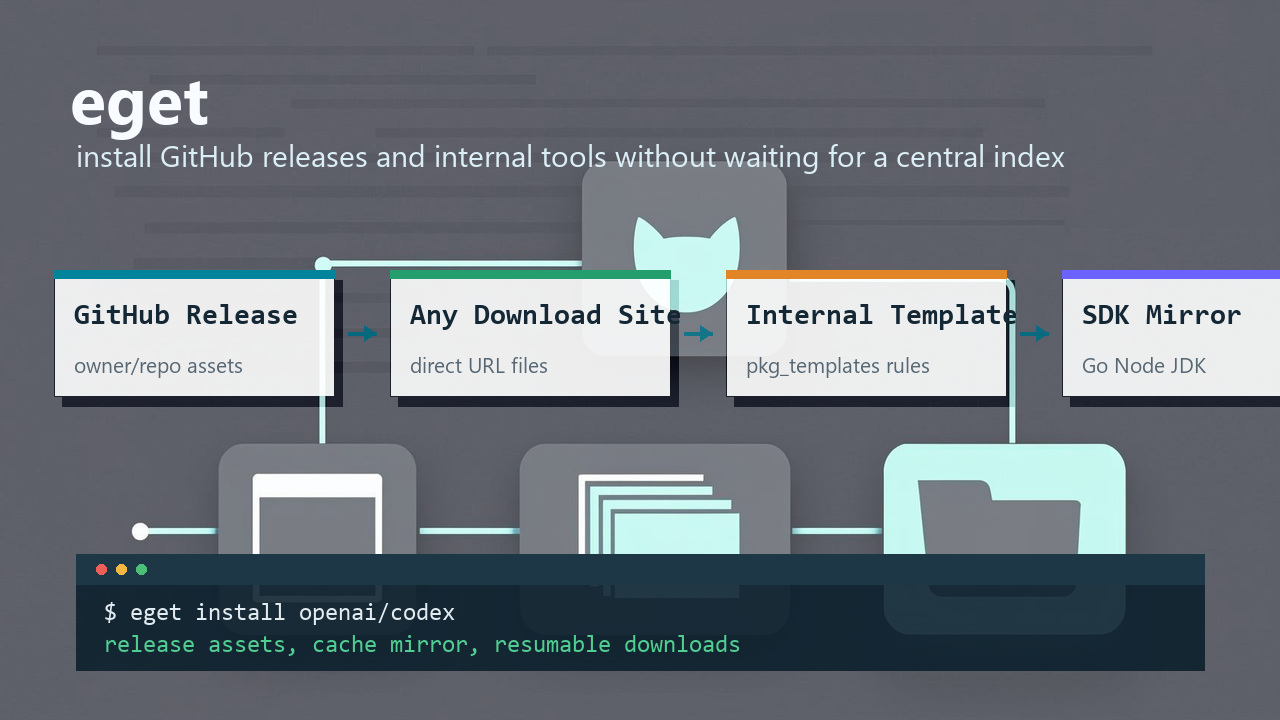
- Project: https://github.com/inherelab/eget
- Latest release: v1.8.x
- Documentation: README.md
Start with a GitHub repository
The shortest path is to pass a repository name:
eget cfg init
# install tools
eget i openai/codex
eget install junegunn/fzf
eget install --name rg BurntSushi/ripgrep
eget reads release assets, matches the current OS and architecture, downloads the selected file, extracts it when needed, and installs the executable into the target directory.
If a project uses nightly builds, beta tags, or a specific release tag, choose it explicitly:
eget install --tag nightly inhere/markview
eget install --tag v0.28.0 openai/codex
There is no extra registry step here. If the upstream release page has the asset, eget can start from there.
The repository is the entry point
Many package managers depend on a central index. That gives users a consistent experience, but it also creates delay. A project can publish a release before the index is updated.
eget keeps the default path short:
owner/repo -> releases -> assets -> installWhen automatic asset matching is not enough, inspect the assets and add filters:
eget query --action assets openai/codex

eget install --asset "PRE:codex,SUF:.zip" openai/codex
eget install --asset "REG:\\.deb$" owner/repo
eget install --asset "windows,amd64,zip" owner/repo
Some release archives have nested directories, or the executable name is not the name you want on disk. Handle that at install time:
eget install --extract-all \
  --rename "codex-x86_64-pc-windows-msvc.exe=codex.exe" \
  openai/codex

eget download --extract-all --strip-components 1 \
  --asset "windows,zip" ventoy/Ventoy
The point is not to describe every package in advance. The point is to work with the files that upstream already published.
It is not limited to GitHub
GitHub is common, but it is not the only source. eget install and eget download can target GitLab, Gitea/Forgejo, SourceForge, direct URLs, and local files.
eget install gitlab:fdroid/fdroidserver
eget install gitlab:gitlab.gnome.org/GNOME/gtk
eget install --asset linux,amd64 gitea:codeberg.org/forgejo/forgejo
eget install --asset x64,PerUser,setup sourceforge:winmerge
A plain download URL also works:
eget download --file go --to ~/go1.17.5 \
  https://go.dev/dl/go1.17.5.linux-amd64.tar.gz
That matters for tools that do not publish GitHub releases. If there is a stable URL, or if the latest version can be read from a page, JSON file, or YAML file, the tool does not need to be wrapped in a central index first.
Internal tools can use one reusable rule
Internal tool distribution is usually boring in a very specific way. Every team has its own layout:
http://mydev.lan/tools/markview/latest.yaml
http://mydev.lan/tools/markview/markview-linux-amd64
http://mydev.lan/tools/chlog/latest.yaml
http://mydev.lan/tools/chlog/chlog-linux-amd64
Once the naming rule is stable, each tool should not need a full copy of the same configuration. pkg_templates lets you describe the rule once:
[pkg_templates.mydev]
latest_url = "http://mydev.lan/tools/{name}/latest.yaml"
latest_format = "yaml"
url_template = "http://mydev.lan/tools/{name}/{name}-{os}-{arch}{ext}"
ext_map = { windows = ".exe", linux = "", darwin = "" }

[packages.markview]
repo = "pkg-template:mydev:markview"
Then use the short alias:
eget add mydev:markview
eget install mydev:markview
eget install --add mydev:chlog
This is not an internal app store. There is no server-side registry to maintain. It is a local rule for turning a package name into a latest-version request and a download URL.
Keep frequently used tools in config
For a one-off test, install owner/repo is enough. For tools you use regularly, add them to local config:
eget install --add junegunn/fzf
eget install --add --name rg BurntSushi/ripgrep
eget add --name winmerge --system windows/amd64 \
  --asset x64,PerUser,setup sourceforge:winmerge

# restore all configured tools from an existing config file
eget install --all
List what is installed or configured:
# installed packages by default; --all shows all configured packages too
eget list
eget ls --all
# configured packages that are not installed yet
eget ls --ni
The install record lives in ~/.config/eget/installed.toml by default. Config files live under the same directory, and you can edit them directly when that is faster.
Update tools
eget update --all # check and update all updatable packages
# or check first, then update selected tools
eget up --check
eget up fzf markview codex
Self-update is a separate command:
eget up --selfSDK downloads are built in
SDK archives have a similar problem to CLI tools: multiple versions, multiple platforms, mirrors, archive extraction, and local install records.
eget sdk handles that layer:
eget sdk config add --all
eget sdk config add --all --mirror mirror
eget sdk config add jdk --mirror zulu

eget sdk index refresh go
eget sdk index show go

eget sdk install go@1.22.0
eget sdk install go:1.22 node:20.11.1
eget sdk dl --os linux --arch arm64 -o ./downloads go:1.22
The built-in templates cover Go, Node, and JDK. Sources can use official URLs or common mirrors. SDK index cache, archive download cache, and install records are kept separate, which works better for multi-version SDK installs.
One boundary is important: eget sdk downloads, extracts, and records SDKs. It does not modify PATH, write shell hooks, or switch the active version for a project. If you need project-level activation, pair it with a tool such as xenv.
Cache mirrors help on team machines
Repeated installs are faster when downloads are cached. On a local network, one machine can expose its existing package and SDK cache:
eget cache serve --host 0.0.0.0 --port 8686 --token "$EGET_CACHE_TOKEN" --json-logOther machines can try that cache before going upstream:
[cache_mirror]
enable = true
url = "http://192.168.1.10:8686"
timeout = 5
fallback = true
With this enabled, install, download, and sdk install try the LAN cache first and fall back to the original source on a miss. The mirror is only a download optimization, not a trust root. Existing checksum validation still runs later in the flow.
More features are in the GitHub docs
This article covers the main path. eget also has a set of practical features that are better documented in the GitHub README and configuration docs:
- concurrent downloads and batch install/update
- HTTP Range chunked downloads for large files
- resumable downloads with
.partfiles and metadata - Windows GUI installer launch
- portable GUI package installation into
gui_target - separate API cache, download cache, and SDK index cache
You may not need all of those every day. They become useful in CI, on shared development machines, on Windows tool distribution flows, and when large SDK archives are downloaded repeatedly.
Where eget fits
eget is a good fit when:
- you want to try a new GitHub release immediately
- a tool ships zip, tar.gz, exe, deb, or similar release assets
- internal tools follow a stable download URL rule
- CI machines, developer laptops, or LAN machines need the same tools and SDKs repeatedly
It is not a replacement for a system package manager. Dependency solving, service registration, and complex post-install scripts are not its job.
The shorter description is this: eget is a release asset downloader and installer. If GitHub already has the release, a download site already has the file, or an internal directory already has the package, eget helps get it onto the machine without waiting for the index in the middle.