cliui: terminal UI helpers for Go CLI apps
Many CLI tools start with a parser, a few commands, and some fmt.Println calls. That works until the tool needs readable config output, clear errors, prompts, progress bars, and logs that do not break in CI.
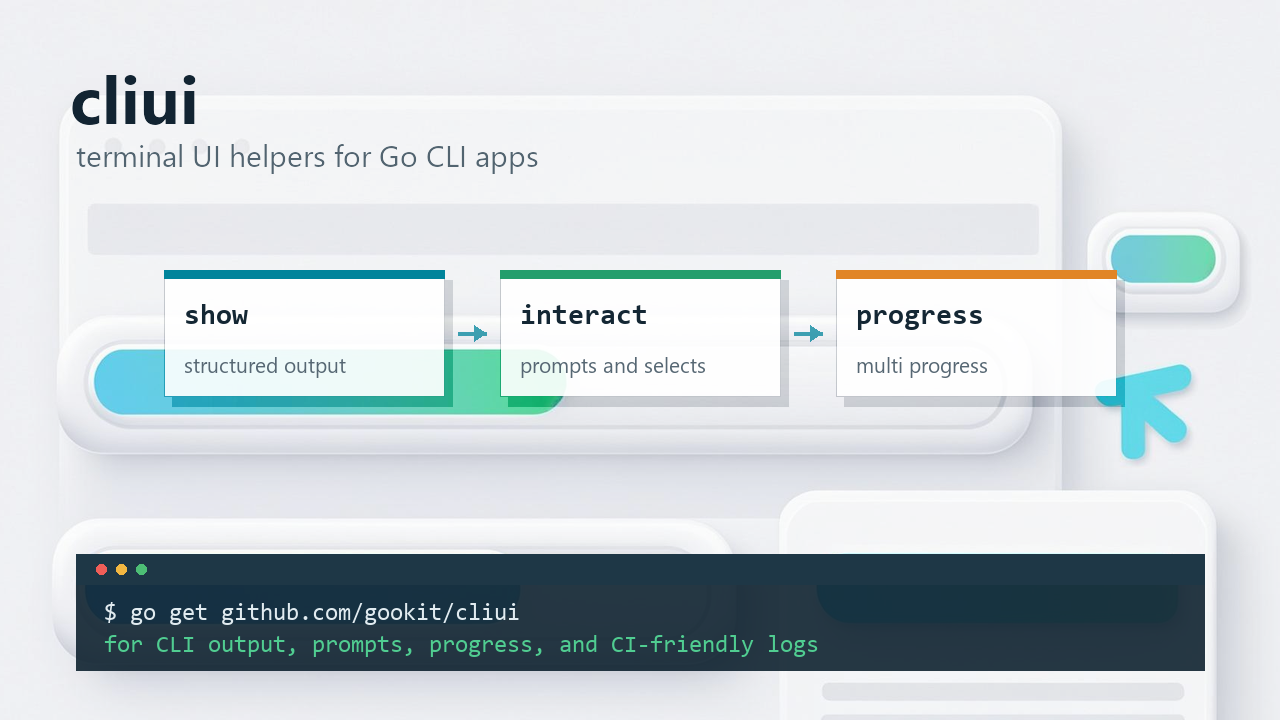
github.com/gookit/cliui is for that middle ground: not a full-screen TUI, but more than loose terminal prints. It splits the common pieces into three packages: show for structured output, interact for prompts and selections, and progress for long-running work.
- Project: https://github.com/gookit/cliui
- API docs: https://pkg.go.dev/github.com/gookit/cliui
- Latest release: https://github.com/gookit/cliui/releases/latest
It is not a full TUI framework
If you are building a file manager, a dashboard, or a full-screen terminal editor, look at Bubble Tea, tview, or another TUI framework first.
cliui is aimed at regular command-line tools that need small terminal components:
- print a visible status block or section title
- render maps, structs, and slices as readable lists
- ask for confirmation, text input, single choice, or multiple choices
- show progress for downloads, builds, installs, and batch jobs
- write logs safely while a multi-line progress block is active
These bits often grow inside a project as local helpers. cliui keeps them in one place so command output stays readable and interactive code stays testable.
show: make output look like a result
CLI output tends to fail in two directions. It is either a wall of loose text, or it is machine-friendly but annoying for humans to scan.
The show package is for command results, runtime info, config summaries, and execution reports. It includes title, banner, list, multi-list, table, alert, and pretty JSON helpers.
package main

import "github.com/gookit/cliui/show"

func main() {
	show.Banner("Deploy started")

	show.AList("App info", map[string]any{
		"name": "cliui",
		"env":  "dev",
	})

	show.JSON(map[string]any{
		"ok":      true,
		"version": "v0.3.x",
	})
}
For a small command, this is mostly about saving a few hand-written spaces and newlines. Once a CLI has several commands, the benefit is consistency: every command does not need to invent its own format for phase titles, config dumps, and error summaries.
For tabular output, use show/table. Package lists, task results, migration status, release assets, and deployment summaries are all easier to read when column width and borders are handled by the component instead of each command.
interact: prompts should not depend on a real terminal
Interactive CLI code has a small trap: reading one line is easy, but real environments differ.
In an actual terminal, users expect arrow keys, Enter, defaults, and validation messages to behave normally. In tests, you want replaceable input and output. In CI or a pipe, code should not require a TTY just to keep running.
cliui/interact keeps the older prompt, confirm, question, and select APIs, and also provides a newer backend-driven UI layer. The current component set covers:
InputConfirmSelectMultiSelect
The newer layer separates components from input backends. The readline backend is for raw terminal interaction. The plain backend works with line-based input, tests, and redirected stdin. The fake backend is useful when you want event-level tests.
package main

import (
	"context"
	"fmt"

	"github.com/gookit/cliui/interact"
)

func main() {
	ctx := context.Background()

	// Falls back to plain mode when stdin is not a TTY.
	be := interact.NewUIReadlineBackend()

	nameInput := interact.NewUIInput("Your name")
	nameInput.Default = "guest"

	name, err := nameInput.Run(ctx, be)
	if err != nil {
		panic(err)
	}

	envSelect := interact.NewUISelect("Choose env", []interact.UIItem{
		{Key: "dev", Label: "Development", Value: "dev"},
		{Key: "test", Label: "Testing", Value: "test"},
		{Key: "prod", Label: "Production", Value: "prod"},
	})
	envSelect.DefaultKey = "dev"
	envSelect.Filterable = true

	env, err := envSelect.Run(ctx, be)
	if err != nil {
		panic(err)
	}

	fmt.Println("name:", name)
	fmt.Println("env:", env.Value)
}
There are a few details that matter in real tools:
Keyis the stable input value.Labelis what the user sees.Valueis what application code consumes.DefaultKeyandDefaultKeyscover single-select and multi-select defaults.Filterablelets users type to narrow a long list in a real terminal.Disabledcan show an option without allowing it to be submitted.PageSizelimits how many list items render at once.
For tests, swap the backend. You do not need to spawn a real terminal to verify input, selection, validation errors, or resize events.
progress: one bar is not always enough
For a simple task, a single progress bar is enough:
package main

import (
	"time"

	"github.com/gookit/cliui/progress"
)

func main() {
	p := progress.Bar(100)
	p.Start()

	for range 100 {
		time.Sleep(20 * time.Millisecond)
		p.Advance()
	}

	p.Finish()
}
The progress package also includes text progress, counters, loading indicators, round-trip bars, and dynamic text. Use Bar or Full when the total work is known, Counter when the count itself is the signal, and loading/spinner variants when the task has no clear total.
Batch downloads, concurrent builds, and parallel installs usually need more than one bar. Letting goroutines write directly to the terminal is a quick way to scramble the output. MultiProgress manages several Progress instances and renders them as one terminal block.
mp := progress.NewMulti()
mp.UseAutoRenderMode()
mp.AutoRefresh = true
mp.RefreshInterval = 100 * time.Millisecond

build := mp.New(100)
build.SetMessage("name", "build")
build.SetFormat("{@name:-8s} [{@bar}] {@percent:5s}%")
build.AddWidget("bar", progress.BarWidget(24, progress.BarStyles[0]))

test := mp.New(80)
test.SetMessage("name", "test")
test.SetFormat("{@name:-8s} [{@bar}] {@percent:5s}%")
test.AddWidget("bar", progress.BarWidget(24, progress.BarStyles[0]))

mp.Start()
defer mp.Finish()
UseAutoRenderMode() chooses a render mode based on the writer:
RenderDynamicuses ANSI control sequences for in-place updates in a terminal.RenderPlainwrites plain text for CI logs, files, or redirected output.RenderDisableddisables progress rendering while keeping log output available.
That distinction matters. The same code can look active in a local terminal and still produce clean logs in GitHub Actions, Jenkins, or any other non-interactive output stream.
When a multi-line progress block is active, regular fmt.Println calls can still corrupt the display. MultiProgress gives you a safe way to print logs:
mp.Println("warning: fallback to single connection")
mp.Printf("package %s failed: %v\n", name, err)

mp.RunExclusive(func(w io.Writer) {
	fmt.Fprintf(w, "checksum verified with %s\n", sum)
})
It clears the managed block, writes the log line, then redraws the progress block.
Track downloads and copies by bytes
Downloaders and installers often need byte-level progress, not just “task 3 of 10”.
Progress can wrap a reader or writer:
p := progress.Full(resp.ContentLength)
p.Start()
defer p.Finish()

_, err := io.Copy(dst, p.WrapReader(resp.Body))
if err != nil {
	p.Fail(err.Error())
	return err
}
When multiple goroutines report byte deltas, use ByteTracker to aggregate updates and avoid redrawing the terminal on every small write:
bar := progress.Full(totalSize)
tracker := progress.NewByteTrackerWithInterval(bar, 100*time.Millisecond)
defer tracker.Close()

tracker.Add(n)
That is useful for download tools, installers, archive extraction, file copy commands, and batch processors. Application code reports how much work happened. cliui handles the terminal update cadence.
Migrating from gcli/v3
cliui also serves as the standalone home for the terminal display and interaction pieces that used to live under gookit/gcli/v3.
The package path changes are direct:
github.com/gookit/gcli/v3/show     -> github.com/gookit/cliui/show
github.com/gookit/gcli/v3/interact -> github.com/gookit/cliui/interact
github.com/gookit/gcli/v3/progress -> github.com/gookit/cliui/progress
If a project only needs UI helpers and not a full CLI framework, depending on cliui keeps the boundary smaller.
When cliui fits
Use it when:
- a Go CLI needs clearer status, list, table, or JSON output
- a command needs a small amount of interaction
- downloads, installs, builds, or batch tasks need progress
- the same code must run in terminals, CI, pipes, and tests
- a project is moving
show,interact, orprogressusage out ofgookit/gcli/v3
Skip it when you need a full-screen TUI, complex layouts, mouse events, or output that must be strictly machine-readable.
For most command-line tools, cliui is a small toolbox: structured output, prompts, selections, and progress bars without turning the project into a terminal application framework.
Try it
Install the module:
go get github.com/gookit/cliuiOr pull in only the package you need:
go get github.com/gookit/cliui/show
go get github.com/gookit/cliui/interact
go get github.com/gookit/cliui/progress
Start where the current CLI is messiest: replace ad-hoc output with show, prompts with interact, or long-running work with progress. You do not need to rewrite the whole command surface at once.