miglite: raw SQL migrations for Go projects
Database migration tools usually pick one of two lanes. Some describe schema changes in their own DSL and generate SQL for you. Others take the SQL you already wrote, run it in order, and record what has been applied.
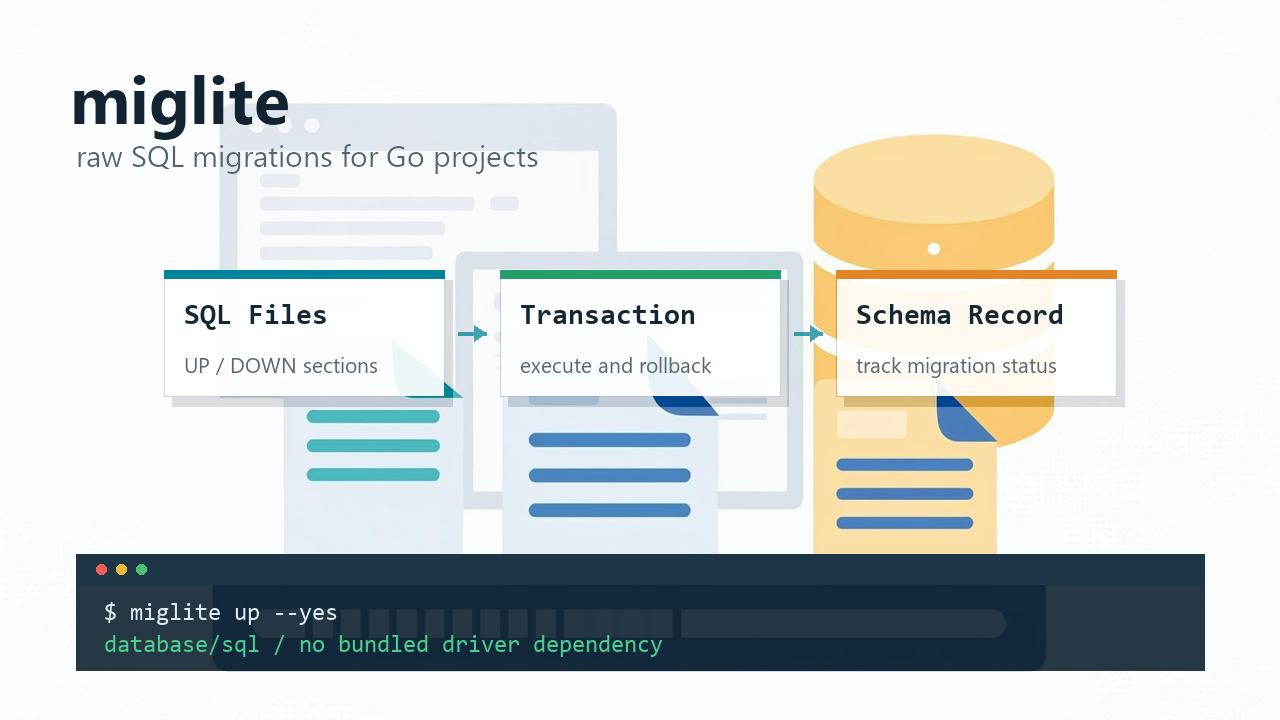
github.com/gookit/miglite stays in the second lane. It does not replace SQL, and the library does not pull database drivers into your dependency tree by default. It discovers migration files, parses UP/DOWN sections, runs SQL in a transaction, and records the migration status in the database.
- Project: https://github.com/gookit/miglite
- API docs: https://pkg.go.dev/github.com/gookit/miglite
- Latest release: v0.4.0
Why another migration tool
Go already has solid migration tools, including golang-migrate, goose, and dbmate. miglite is not trying to replace them. It is aimed at the smaller case:
- The project already maintains raw SQL files.
- The service already has a database driver, and the migration library should not add another one.
- Deployment should work with
DATABASE_URLandMIGRATIONS_PATH. - Migration files may live in multiple module directories, but execution order still has to be consistent.
That is a common shape for internal tools, small services, and plugin-style projects. The migration layer should not become heavier than the code it is supporting.
Migration files are plain SQL files
miglite uses a fixed filename format:
YYYYMMDD-HHMMSS-{migration-name}.sqlFor example:
migrations/20251105-102325-create-users-table.sqlEach file has two sections:
-- Migrate:UP
CREATE TABLE users (
  id INTEGER PRIMARY KEY,
  name TEXT NOT NULL,
  created_at DATETIME NOT NULL
);

-- Migrate:DOWN
DROP TABLE users;
UP is required. DOWN is optional. The up command runs the UP section, and the down command runs the DOWN section.
There is not much magic in this format, which is the point. A DBA can read it. A production incident can be debugged by copying the SQL into the database console. No one has to learn a migration DSL before understanding what will run.
The CLI covers the normal path
Install the command:
go install github.com/gookit/miglite/cmd/miglite@latestYou can also install it with eget:
eget install gookit/migliteCreate a migration file:
miglite create add-users-tableInitialize the migration table and apply pending migrations:
miglite init # optional; up initializes the schema if needed
miglite up
Check status:
miglite statusRollback the latest migration:
miglite downFor CI or deployment scripts, skip per-file confirmation:
miglite up --yesRun only the first two pending migrations:
miglite up --number 2 --yesThose commands cover the main workflow. miglite exec can run a SQL statement or SQL file directly, and miglite show can inspect tables and table schemas during local debugging.
Configuration can be a file or just environment variables
The smallest setup needs only two environment variables:
DATABASE_URL="sqlite://var/app.db"
MIGRATIONS_PATH="./migrations"
MySQL example:
DATABASE_URL="mysql://user:passwd@tcp(127.0.0.1:3306)/app_db?charset=utf8mb4&parseTime=True&loc=Local"
MIGRATIONS_PATH="./migrations/mysql"
PostgreSQL example:
DATABASE_URL="postgres://host=localhost port=5432 user=app password=secret dbname=app_db sslmode=disable"
MIGRATIONS_PATH="./migrations/postgres"
If you prefer a config file, use miglite.yaml:
database:
  driver: sqlite
  dsn: ./sqlite_test.db

migrations:
  path: ./migrations
By default, miglite tries these files in the current directory:
.env.local
.env.dev
.env
miglite.yaml
miglite.local.yaml
Config values can include environment placeholders:
database:
  driver: postgres
  host: localhost
  port: 5432
  user: ${PG_DB_USER}
  password: ${PG_DB_PWD | pg1234abcd}
  dbname: pg_test_db
  ssl_mode: disable
That default-value syntax is useful for local development. A laptop can run with a fallback password, while deployment injects the real value.
Multiple migration directories work for modular projects
Migration paths can be comma-separated:
MIGRATIONS_PATH="./migrations/core,./migrations/billing,./migrations/report"miglite scans the directories, then sorts all SQL files by filename prefix before execution.
Recursive scanning is enabled by default. Directories that start with _ are ignored:
migrations/
  core/
    20260101-100000-create-users.sql
  billing/
    20260101-101000-create-orders.sql
  _backup/
    20240101-100000-old.sql
Files under _backup will not be executed as migrations. That convention is boring, but useful when old SQL needs to stay nearby without being picked up by the runner.
Migration paths can also include {driver}:
migrations:
  path: ./migrations/{driver}
That lets a project keep SQLite, MySQL, and PostgreSQL SQL files in separate directories while sharing the same config shape.
SQL and migration records run in the same transaction
For each migration file, miglite opens a transaction, runs the UP or DOWN SQL, writes the migration record, then commits.
So a migration either runs and records its status, or it fails and rolls back. That is much easier to reason about than “the SQL ran, but the migration table did not update.”
There is one practical caveat: database engines decide how transactional their DDL really is. Some MySQL DDL statements can implicitly commit. miglite uses transactions, but the final behavior still depends on the database engine.
The library does not force a database driver
The main miglite package is built on database/sql and does not depend on concrete MySQL, PostgreSQL, or SQLite drivers by default.
That trade-off matters for Go libraries. Many projects have already picked a driver:
- MySQL:
github.com/go-sql-driver/mysql - PostgreSQL:
github.com/lib/pqorgithub.com/jackc/pgx/v5 - SQLite:
modernc.org/sqliteorgithub.com/mattn/go-sqlite3
If the migration library ships its own driver dependency, builds get heavier and driver registration can become another thing to debug.
The standalone miglite CLI includes drivers. When miglite is used as a library inside your application, the application chooses the driver.
Where miglite fits
It fits when:
- You want to maintain raw SQL files.
- Migration logic is mostly ordered execution and rollback.
- The project should keep dependencies small.
- You need a CLI now and may embed migration logic into a Go program later.
It is not trying to solve every migration problem:
- It does not generate migration SQL from Go structs.
- It does not translate one schema definition across databases.
- It does not provide complex online DDL orchestration, lock strategy, or migration planning.
That is fine. miglite is a small tool for a specific job. When that job is enough, the smaller tool is easier to keep around.
Try it with SQLite
SQLite is the quickest local path:
go install github.com/gookit/miglite/cmd/miglite@latest

export DATABASE_URL="sqlite://./demo.db"
export MIGRATIONS_PATH="./migrations"

miglite create create-users-table
miglite init
miglite up --yes
miglite status
On Windows PowerShell:
$env:DATABASE_URL = "sqlite://./demo.db"
$env:MIGRATIONS_PATH = "./migrations"
If a Go service only needs to keep SQL migrations ordered, reversible, and visible, miglite is worth trying before adopting a heavier migration framework.