miglite v0.8.0: ship migrations inside the binary
The last post about miglite covered v0.4.0 in June. In the three months since then, it reached v0.8.0 through four releases and 69 commits (v0.4.0..v0.8.0). The main problem I wanted to solve was carrying a migrations/ directory alongside the binary. A few flags that were accepted but did nothing also needed fixing.
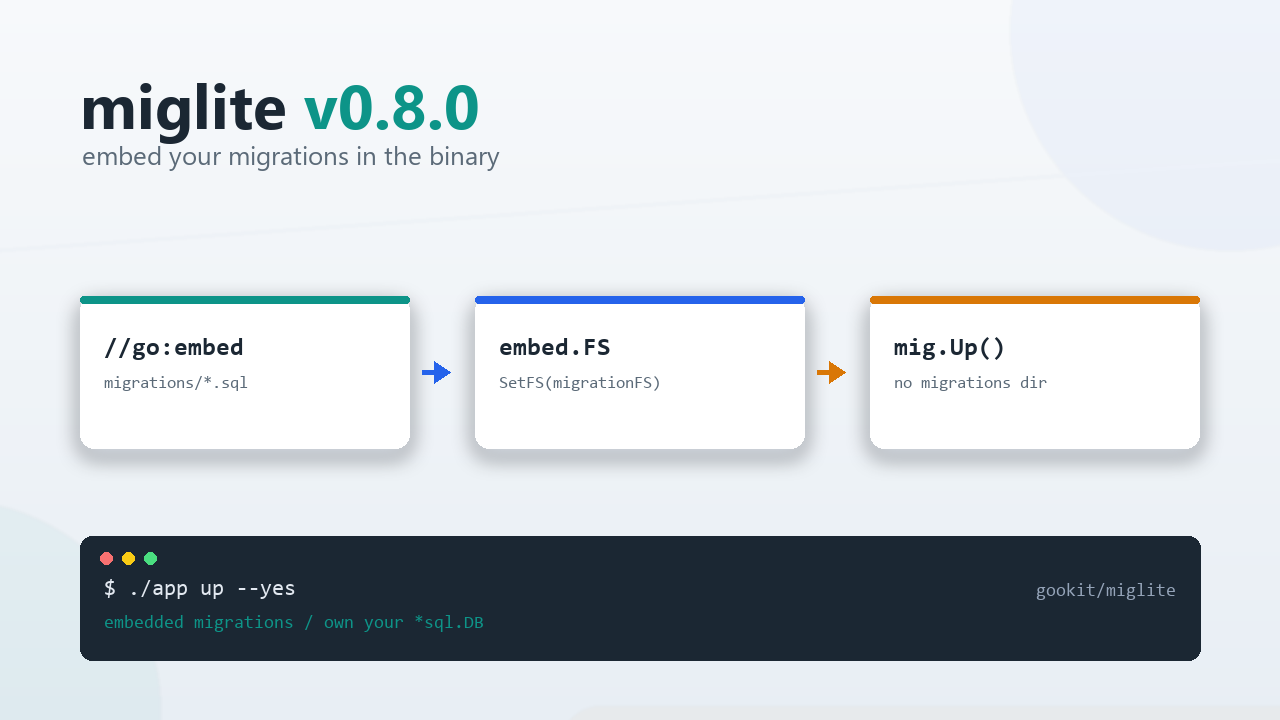
- Project: https://github.com/gookit/miglite
- API docs: https://pkg.go.dev/github.com/gookit/miglite
- Previous post: miglite: raw SQL migrations for Go projects
- Latest release: v0.8.0
What changed across these releases
| Version | Date | Change |
|---|---|---|
| v0.5.0 | 2026-07-18 | exec runs multiple statements in one transaction; --db overrides the database name |
| v0.6.0 | 2026-08-08 | Dependency updates |
| v0.7.0 | 2026-09-21 | internal/runtime extraction, four behaviour fixes |
| v0.8.0 | 2026-09-28 | fs.FS / embed.FS migrations |
The command set is still create / init / up / down / skip / status / show / exec. Existing upgrade scripts can stay as they are.
Ship migrations inside the binary
Deploying a small service usually meant keeping a migrations/ directory next to the binary. A container image needed another COPY line, and the working directory had to match it. If the directory was missing or came from an older build, miglite status could still report no pending migrations. That made the problem easy to miss.
SQL files can now be embedded with go:embed:
package main

import (
	"embed"

	"github.com/gookit/miglite"
	"github.com/gookit/miglite/pkg/command"

	_ "modernc.org/sqlite"
)

//go:embed migrations/*.sql
var migrationFS embed.FS

func main() {
	mig, err := miglite.NewAuto(func(cfg *miglite.Config) {
		// a logical path inside migrationFS, not a disk path
		cfg.Migrations.Path = "migrations"
	})
	if err != nil {
		panic(err)
	}

	// miglite.NewWithConfigAndFS(cfg, migrationFS) does the same
	mig.SetFS(migrationFS).SetSqlDB(db)
	if err := mig.Up(command.UpOption{Yes: true}); err != nil {
		panic(err)
	}
}
There are a few details worth keeping in mind:
- After
SetFS,cfg.Migrations.Pathis an io/fs logical path with forward slashes, not a directory on disk. SetFS(nil)goes back to reading from the local filesystem, for projects that support both.- An embedded filesystem is read-only, so
createstill writes to the local disk and cannot add files toembed.FS. - The new API surface is
Migrator.SetFS,NewWithConfigAndFSand the package-levelmiglite.BindFS, plusParseFS,FindMigrationsFSandMigrationsFromFSinpkg/migration.
If your CLI reuses miglite’s commands instead of calling cmd/miglite directly, call miglite.BindFS(migrationFS) before app.Run(). The handlers will then read from that filesystem.
–db points one command at another database
When debugging or testing, I often need to use another database name on the same instance, such as when checking migrations against a copy of production data. Editing the config or environment is easy to forget to undo afterwards.
v0.5.0 added a global --db flag:
# status of one specific database
miglite --db new_db status

# run SQL against that database
miglite exec --db new_db --yes "SELECT current_database();"
It overrides the database name from the YAML file, DATABASE_DSN or DATABASE_URL; for SQLite it selects the database file path. The flag applies only to the current command and does not modify the config.
exec runs multi-statement SQL in one transaction
exec used to send a block of SQL to the database one statement at a time. If statement five failed, the first four were already applied and the rest never ran, leaving the database half changed.
It now splits the input with SplitSQL, runs the statements in one transaction, and commits only when they all succeed. Query statements go through Query, and their result set is printed:
miglite exec --yes ./scripts/import-seed.sqlThe database still decides what can be rolled back. Several MySQL DDL statements commit implicitly, so a transaction cannot contain them. miglite controls how it runs the statements; the engine decides whether a DDL statement is reversible. Migration files have the same limitation.
Four behaviours that only looked right
v0.7.0 moved the package-level state from pkg/command into internal/runtime. Each call now creates a Runtime containing the config, connection, filesystem, and connection ownership. The CLI and library also share the same output path. That change affects four behaviours:
up --skip-errnow skips a failed file and continues with the remaining migrations. The command still returns an error, and the CLI still exits non-zero. Continuing does not mean success.- A
*sql.DBpassed throughSetSqlDB(db)belongs to the caller, so miglite does not close it at the end of the call. miglite only closes connections it opened from the config. A long-running service can keep using its own pool. - A migration file without a
DOWNsection is reported as skipped with theempty_downstatus. The after hook runs only after a real rollback. - Failures no longer print the success banner. A script or an on-call check that only reads the last line will not mistake a failure for success.
miglite up --yes --skip-errUsing miglite as a library
The main package still uses database/sql and does not bind a driver by default, just as it did in v0.4.0. A library call can look like this:
mig, err := miglite.NewWithConfig(cfg) // or NewAuto / New(configFile)
if err != nil {
	return err
}

if err = mig.SetSqlDB(db).Init(command.InitOption{}); err != nil {
	return err
}
if err = mig.Up(command.UpOption{Yes: true}); err != nil {
	return err
}
if err = mig.Status(command.StatusOption{}); err != nil {
	return err
}
Library calls differ from the CLI in a few ways:
- Library calls never ask for confirmation.
Yesonly affects the CLI prompt. - Library calls print the same progress output as the CLI through the shared path introduced in v0.7.0.
- There is nothing to close. The
*sql.DByou pass in stays yours, and connections opened from the config are closed at the end of each call.
Should you upgrade
Upgrading from v0.4.0 to v0.8.0 does not require changes to commands, config keys, or the migration file format. Check two things after the upgrade:
- If a script relied on
up --skip-errstopping at the first failure, check its exit-code handling. The command now continues with later files. - If you pass your own
*sql.DB, miglite no longer closes it. Workarounds added for the old behaviour can be removed.
For a single-binary deployment, embed.FS support in v0.8.0 removes the migrations directory from the image. Local SQLite users do not need to change anything; the v0.4.0 usage still works.
- Project: gookit/miglite
- Quick install:
go install github.com/gookit/miglite/cmd/miglite@latest - Or with eget:
eget install gookit/miglite