rotatefile: log rotation, compression, and cleanup for Go
Go’s standard logging packages can write to an io.Writer, but they do not decide when a log file should rotate, how many old files to keep, or when disk usage should be capped. Once a service writes logs to local files, those details become part of the system.
github.com/gookit/rotatefile stays deliberately small: it provides an io.Writer with file rotation, gzip compression, and cleanup. You can keep using log/slog, log, zap, or gookit/slog; rotatefile only handles the file lifecycle.
- Project: https://github.com/gookit/rotatefile
- API docs: https://pkg.go.dev/github.com/gookit/rotatefile
- CLI cleaner: cmd/filecleaner
rotatefile works at the file layer
Some logging libraries include file rotation, but that usually means adopting their logging API, field model, and handler design. rotatefile sits lower, at the io.Writer layer:
package main

import "github.com/gookit/rotatefile"

func main() {
	w, err := rotatefile.NewConfig("logs/app.log").Create()
	if err != nil {
		panic(err)
	}
	defer w.Close()

	_, _ = w.Write([]byte("a log message\n"))
}
There is no logger concept in that example. rotatefile.Writer handles writes, rotation, sync, close, and old-file cleanup. Any logger that accepts an io.Writer can use it.
The package was split out from gookit/slog. That makes the boundary cleaner: use it when log files need rotation, not when you want to replace your logger.
The common configuration is small
A typical setup looks like this:
package main

import "github.com/gookit/rotatefile"

func main() {
	w, err := rotatefile.NewConfig("logs/app.log", func(c *rotatefile.Config) {
		c.MaxSize = 100 * rotatefile.OneMByte
		c.RotateTime = rotatefile.EveryDay
		c.BackupNum = 30
		c.BackupTime = 24 * 7
		c.Compress = true
	}).Create()
	if err != nil {
		panic(err)
	}
	defer w.Close()
}
Those fields cover most local log-file setups:
MaxSize: rotate by file size, in bytes. The default is20MB;0disables size-based rotation.RotateTime: rotate by time. Built-ins includeEveryDay,EveryHour,Every30Min,Every15Min, andEveryMinute.BackupNum: keep at most N old files. The default is20;0means no count limit.BackupTime: keep old files for at most this many hours. The default is24 * 7.Compress: gzip rotated files.
A few advanced options are also useful:
FilePerm: permission used when creating log files. The default is0664.CleanOnClose: run cleanup when the writer closes.RenameFunc: customize names for size-based rotation.TimeClock: replace the clock, mostly for testing time-based rotation.
The model is simple: after a write, the writer checks size and time conditions, rotates when needed, then lets cleanup policy deal with old files.
rename and create are different file models
rotatefile supports two rotation modes.
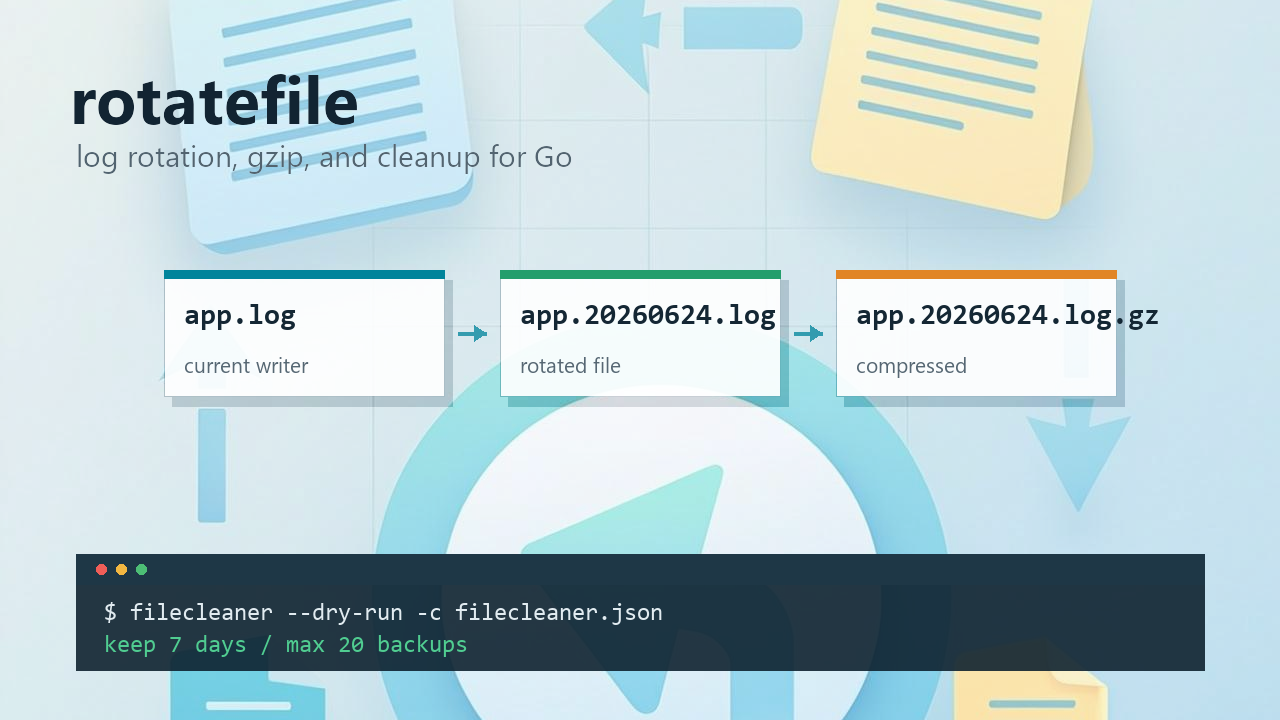
The default ModeRename always writes to a fixed file such as logs/app.log. On rotation, the current file is renamed to a backup file with a suffix, and a new logs/app.log is created.
c.RotateMode = rotatefile.ModeRenameThat mode works well when external tools always tail one stable file. Collectors, scripts, and tail -f logs/app.log do not need to know the current period’s filename.
ModeCreate writes directly to a new dated file for each time period.
c.RotateMode = rotatefile.ModeCreateThat is better when logs are reviewed or archived by period, for example when today’s logs should naturally live in a file like app.20260624.log.
Neither mode is universally better. Pick based on whether a stable entry file or period-based filenames matter more.
Use it with standard slog
log/slog has been in the standard library since Go 1.21. Its handlers accept an io.Writer, so the integration is direct:
package main

import (
	"log/slog"

	"github.com/gookit/rotatefile"
)

func main() {
	w, err := rotatefile.NewConfig("logs/app.log", func(c *rotatefile.Config) {
		c.MaxSize = 50 * rotatefile.OneMByte
		c.RotateTime = rotatefile.EveryDay
		c.BackupNum = 7
	}).Create()
	if err != nil {
		panic(err)
	}
	defer w.Close()

	logger := slog.New(slog.NewJSONHandler(w, nil))
	logger.Info("user login", "uid", 1001)
}
slog still owns the structured log format. rotatefile owns the destination file lifecycle.
Use it with log, zap, or other loggers
The standard log package is even simpler:
package main

import (
	"log"

	"github.com/gookit/rotatefile"
)

func main() {
	w, err := rotatefile.NewConfig("logs/app.log").Create()
	if err != nil {
		panic(err)
	}
	defer w.Close()

	log.SetOutput(w)
	log.Println("hello rotatefile")
}
With zap, the idea is the same; wrap the writer as a zapcore.WriteSyncer:
// zapcore.AddSync(w)That is the benefit of staying at the io.Writer layer. Field encoding, log levels, sampling, and handler design remain separate from file rotation.
Cleanup can be used on its own
Rotation prevents the current file from growing forever, but old files can still pile up. rotatefile includes FilesClear, a standalone cleaner:
package main

import "github.com/gookit/rotatefile"

func main() {
	fc := rotatefile.NewFilesClear(func(c *rotatefile.CConfig) {
		c.AddPattern("/var/log/app/*.log.*")
		c.BackupNum = 20
		c.BackupTime = 168
	})

	if err := fc.Clean(); err != nil {
		panic(err)
	}
}
It does not depend on Writer. You can use it for logs written by Go programs, PHP-FPM, Nginx, or any other process that leaves files behind.
Useful cleanup options:
Patterns: match files with glob patterns.BackupNum: keep the newest N files.BackupTime: remove files older than the configured age.TimeUnit: change the unit forBackupTime; the default is hours.Recursive: recurse when a pattern matches a directory.RemoveEmptyDir: remove directories that become empty after recursive cleanup.DryRun: print files that would be removed, without deleting them.IgnoreError: continue after a single file removal fails.
BackupNum and BackupTime cannot both be 0. Without at least one retention rule, cleanup fails instead of guessing.
filecleaner is useful for cron
If you do not want to write Go code, use the filecleaner command included in the repository. It is built on FilesClear and configured with JSON.
go install github.com/gookit/rotatefile/cmd/filecleaner@latest

filecleaner -c filecleaner.json
filecleaner --dry-run -c filecleaner.json
filecleaner --daemon -c filecleaner.json
The config has a top-level jobs array. Each job has its own patterns and retention policy:
{
  "jobs": [
    {
      "patterns": ["/var/log/app/*.log.*"],
      "backup_num": 20,
      "backup_time": 168,
      "time_unit": "1h"
    },
    {
      "patterns": ["/var/log/svc"],
      "recursive": true,
      "remove_empty_dir": true,
      "backup_time": 7,
      "time_unit": "24h"
    }
  ]
}
Run --dry-run first when adding a new cleanup job. Once the output looks right, put it in cron or run it with --daemon.
LineWriter avoids half-written log records
rotatefile also ships a bufwrite subpackage. Its LineWriter is not line-buffering in the C stdio sense. Here, “line” means one logical record per Write call.
Why does that matter? A normal bufio.Writer may split a single Write(p) when the remaining buffer is too small: part goes to the underlying writer, and part stays buffered. For plain text that is usually fine. For JSON logs, an external collector might read a half-written record.
LineWriter takes a stricter path. If the current buffer cannot fit this Write(p), it flushes the old buffer first, then writes p as one complete underlying write.
package main

import (
	"github.com/gookit/rotatefile"
	"github.com/gookit/rotatefile/bufwrite"
)

func main() {
	w, err := rotatefile.NewConfig("logs/app.log").Create()
	if err != nil {
		panic(err)
	}

	bw := bufwrite.NewLineWriter(w)
	defer bw.Close()

	_, _ = bw.Write([]byte(`{"level":"info","msg":"ok"}` + "\n"))
}
Two details are easy to miss:
- It does not flush automatically when it sees
\n; callCloseorFlush. - It is not concurrency-safe. Use an external lock, or let the logger serialize writes.
A few implementation details matter
This is not a source walkthrough, but a few details explain why the package is more than a thin os.Rename wrapper.
First, time-based rotation calculates the next check against period boundaries. Daily, hourly, and minute-level rotation use different suffix formats: 20060102, 20060102_1500, and 20060102_1504. The names sort naturally by period.
Second, the write path is “write first, then check rotation.” The caller gets straightforward Write behavior: the current payload lands in the currently opened file, and then the writer decides whether the next write should go to a new file.
Third, old-file cleanup does not synchronously scan directories on every write. The writer triggers cleanup asynchronously to keep the write path shorter. Close() syncs the file, stops the cleanup goroutine, and then closes the file handle.
Fourth, TimeClock is replaceable, and the package includes MockClocker. Time-based rotation can be tested without waiting for the next minute or hour.
When rotatefile fits
It is a good fit when:
- A service writes local log files and needs size limits.
- A CLI, background task, or single-host tool should not depend on system logrotate.
- The project already uses
slog,log, orzap, and only file rotation is missing. - Logging API and file lifecycle should stay separate.
- A small tool is needed to clean logs, backups, or other expired files.
It is not always needed:
- In container setups where logs go to stdout and the platform handles collection and retention.
- In environments that already have a standard system-level logrotate policy.
- When multiple processes write the same log file. That deployment needs a separate look at locking and ownership.
rotatefile is a small infrastructure package, not a full logging framework. It covers the layer most Go loggers leave open: rotation, old-file cleanup, and compression.
Install
go get github.com/gookit/rotatefileFor full configuration details, see GoDoc. For file cleanup without writing Go code, start with the filecleaner README.